

Book a Casual Day
Need an extra day of care? We've made it easy.
Life doesn’t always stick to a schedule, and that’s what casual days are for. Whether you’ve got a work commitment, an appointment, or just need a little extra support, booking an extra day is quick and easy. Your child will enjoy a full day of learning, play and time with friends, just like any other day.
Casual days are subject to availability, so we recommend booking as early as you can.
How to Book
You can book a casual day in two ways:
Option 1 - Speak to your Centre Manager
They can check availability and confirm your booking straight away.
Option 2 - Book in Xap (app or desktop)
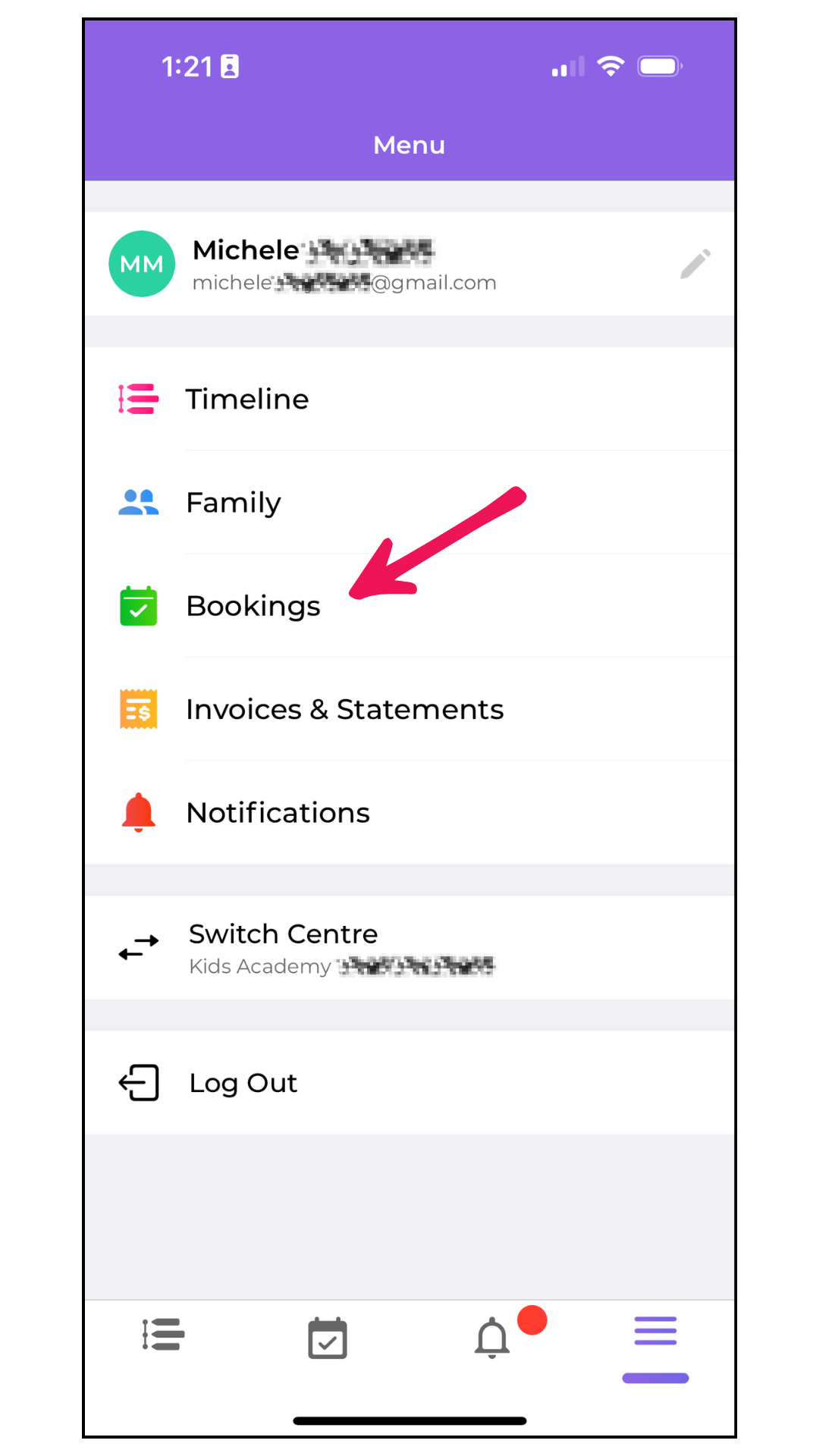
Open the Xap Smile app and tap Bookings
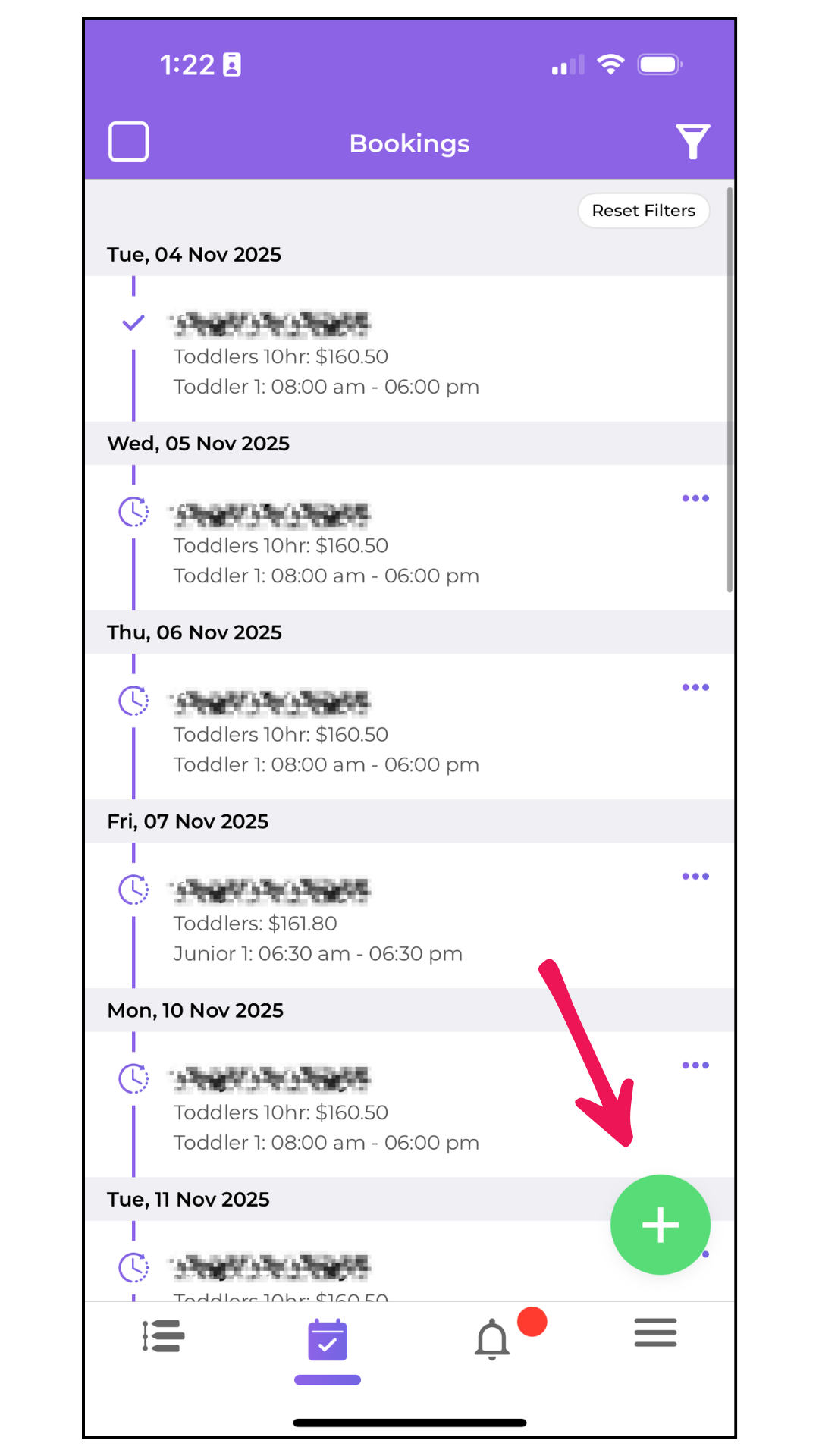
Tap the green + button in the bottom-right corner
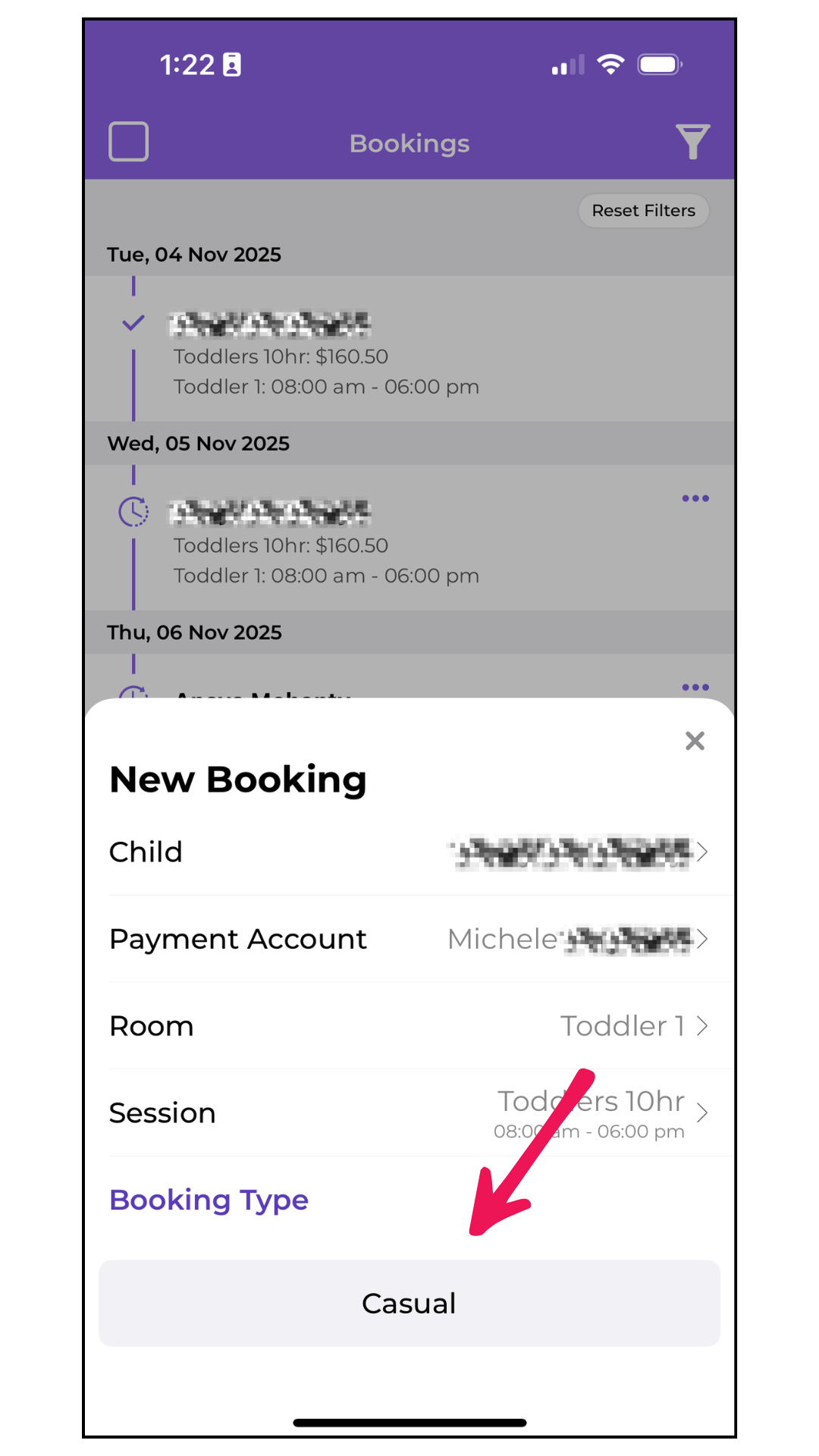
Select your child
Choose your payment account
Select the room and session (e.g. 10 or 12 hours)
Tap Casual under Booking Type
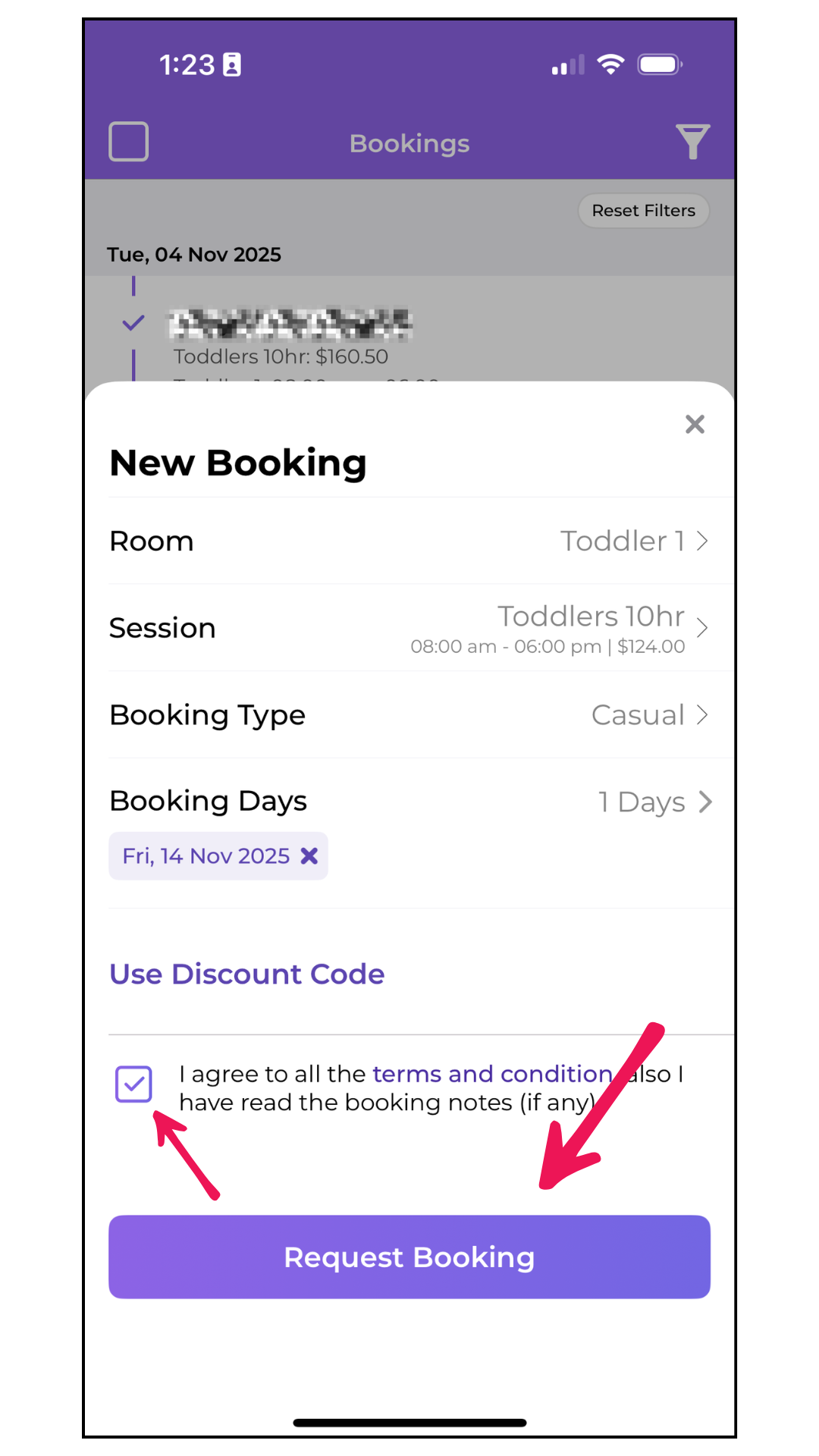
Select your preferred dates and tap Done
Agree to Terms and Conditions, then tap Request Booking
You’ll receive confirmation once your booking is approved.
Child Care Subsidy (CCS)
If you’re eligible for the Child Care Subsidy, it may apply to your casual booking, helping reduce your out-of-pocket costs. You can check or update your CCS details anytime through MyGov.